Workspace Usage & Credit Management
Last updated: July 12, 2026
Estimated reading time: 3 minutes
Overview
The Workspace Usage page gives administrators visibility into how credits are being consumed across the workspace. It helps you monitor usage trends, understand team activity, and ensure your workspace has enough credits to support prospecting, enrichment, AI generation, and campaigns.
Navigate to Settings → Usage to view your workspace usage.
Workspace Credit Summary
At the top of the page, you'll find an overview of your current credit usage.
The summary includes:
Total credits available
Credits used
Credits remaining
Current billing period
Use this information to quickly understand your available capacity before launching new campaigns or enrichment jobs.
Monitor Team Usage
The Team Usage section shows how credits are consumed across your workspace.
Administrators can review:
Individual user activity
Credits consumed by each user
Overall team usage
This information helps identify usage patterns and ensures credits are being used efficiently.
Review Usage History
The Usage History section provides a record of credit consumption during the current billing period.
Review this section to:
Understand how credits were used.
Identify periods of high activity.
Audit workspace usage when needed.
Managing Credits
Credits are shared across your workspace and are used by various features throughout the platform.
Depending on your subscription and usage, credits may be consumed when using features such as:
Prospecting
Email unlocking
Lead enrichment
AI-powered personalization
Regularly monitoring usage helps prevent interruptions to your team's workflow.
When Should You Purchase More Credits?
Consider purchasing additional credits if:
Your workspace is consistently approaching its monthly credit limit.
You're preparing to launch large prospecting campaigns.
Your team is performing high-volume enrichment or AI generation.
Multiple users are consuming credits simultaneously.
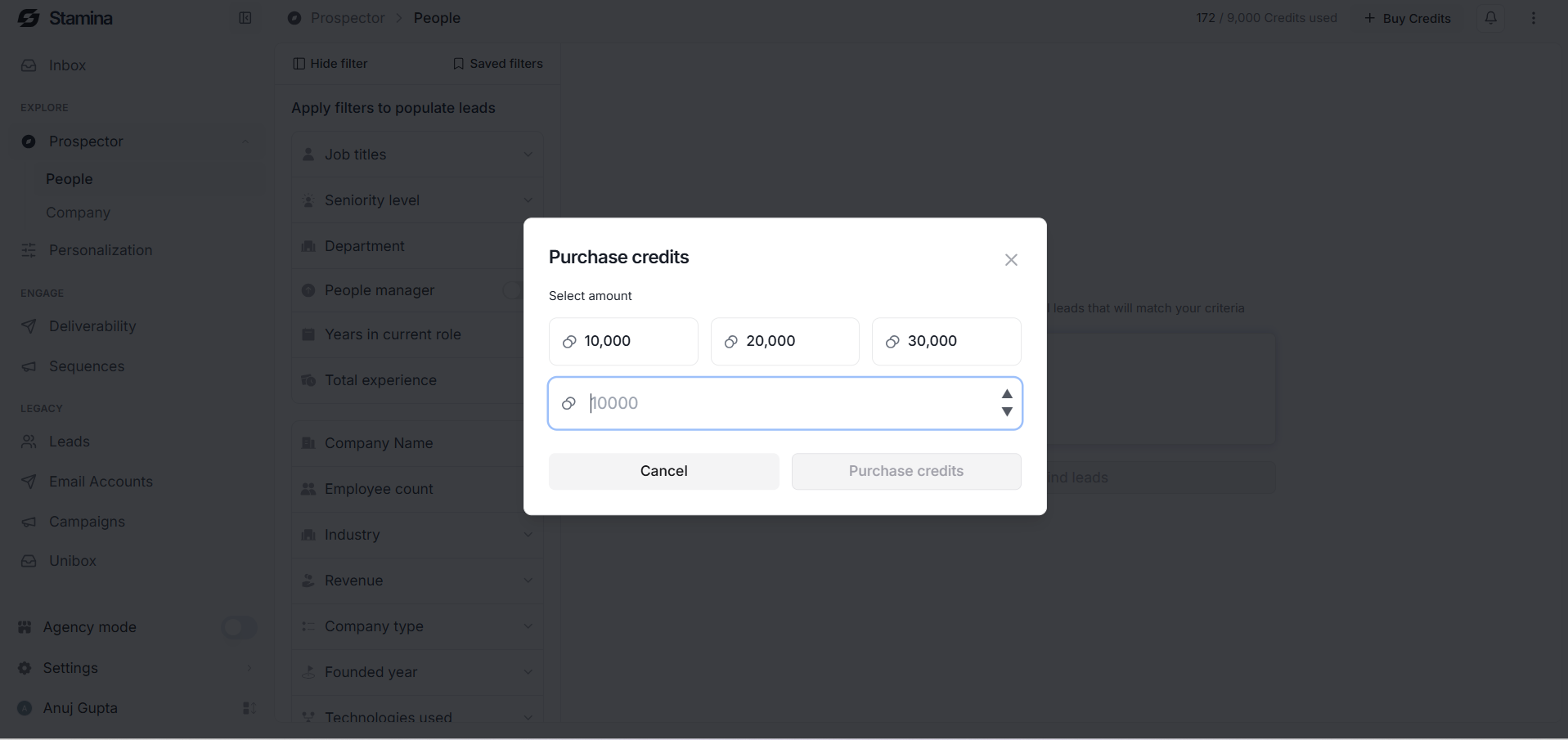
Additional credits can be purchased from the Plans page.
or Prospector --- top right (Buy Credits)---buy
Administrator Best Practices
Review workspace usage at least once a week.
Monitor heavy credit consumers across your team.
Plan large prospecting or enrichment activities around your available credits.
Purchase additional credits before your team reaches the monthly limit.
Review usage history to identify unexpected increases in credit consumption.