Getting Started with Inbox
Last updated: July 12, 2026
Inbox is where all replies from your email campaigns are collected and organized. Instead of checking individual mailboxes, you can manage every campaign conversation from one place.
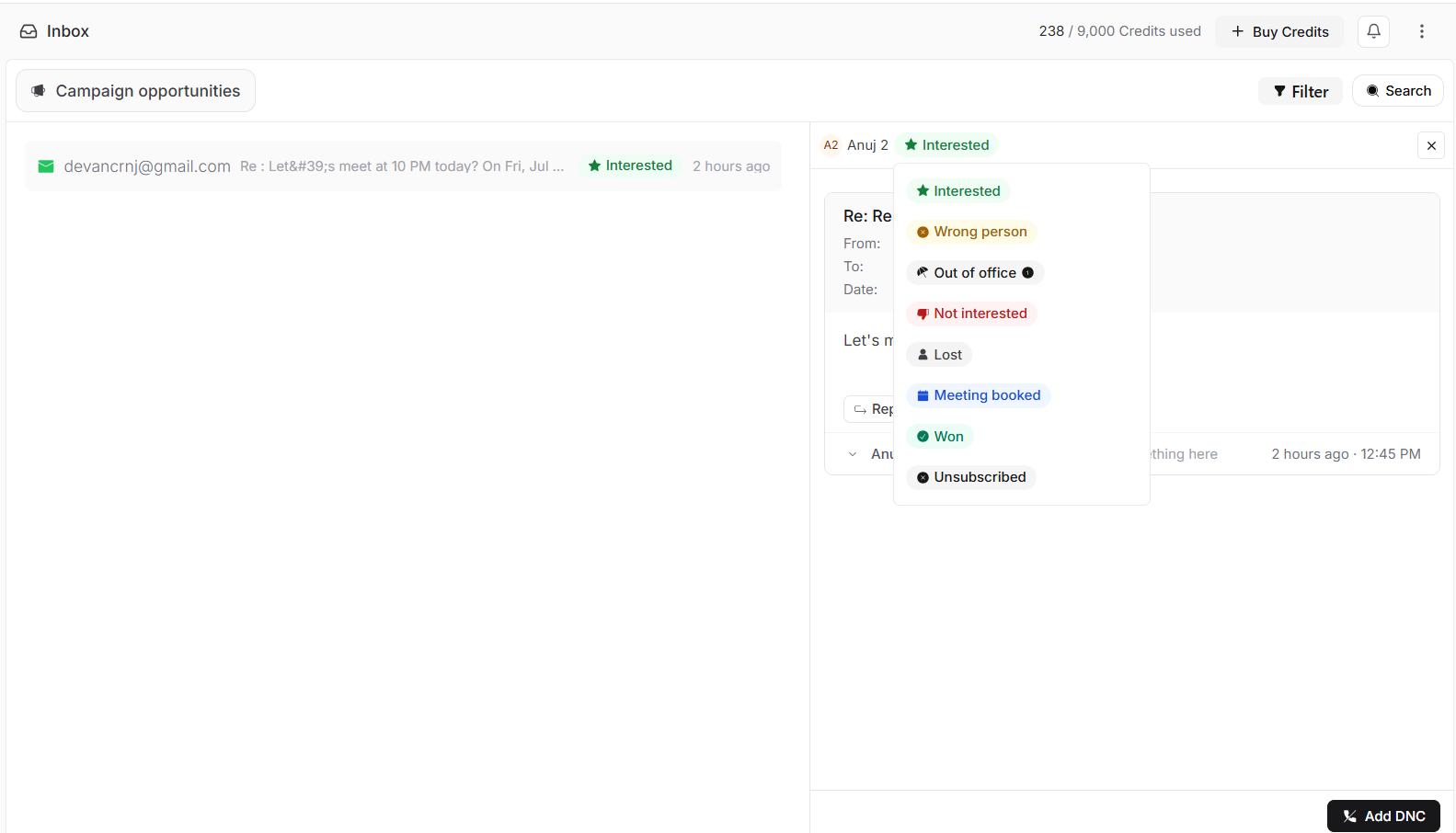
Stamina automatically classifies incoming replies, helping you identify prospects who are interested, locate conversations that need attention, and respond faster.
Before you begin
Before using Inbox, make sure you have:
Connected and warmed up your sending email account.
Created and launched a campaign.
Started receiving replies from prospects.
Once replies arrive, they will automatically appear in Inbox.
Open Inbox
To access your conversations:
From the left sidebar, click Inbox.
Review the list of incoming replies.
Select a conversation to view its details.
Understand the Inbox layout
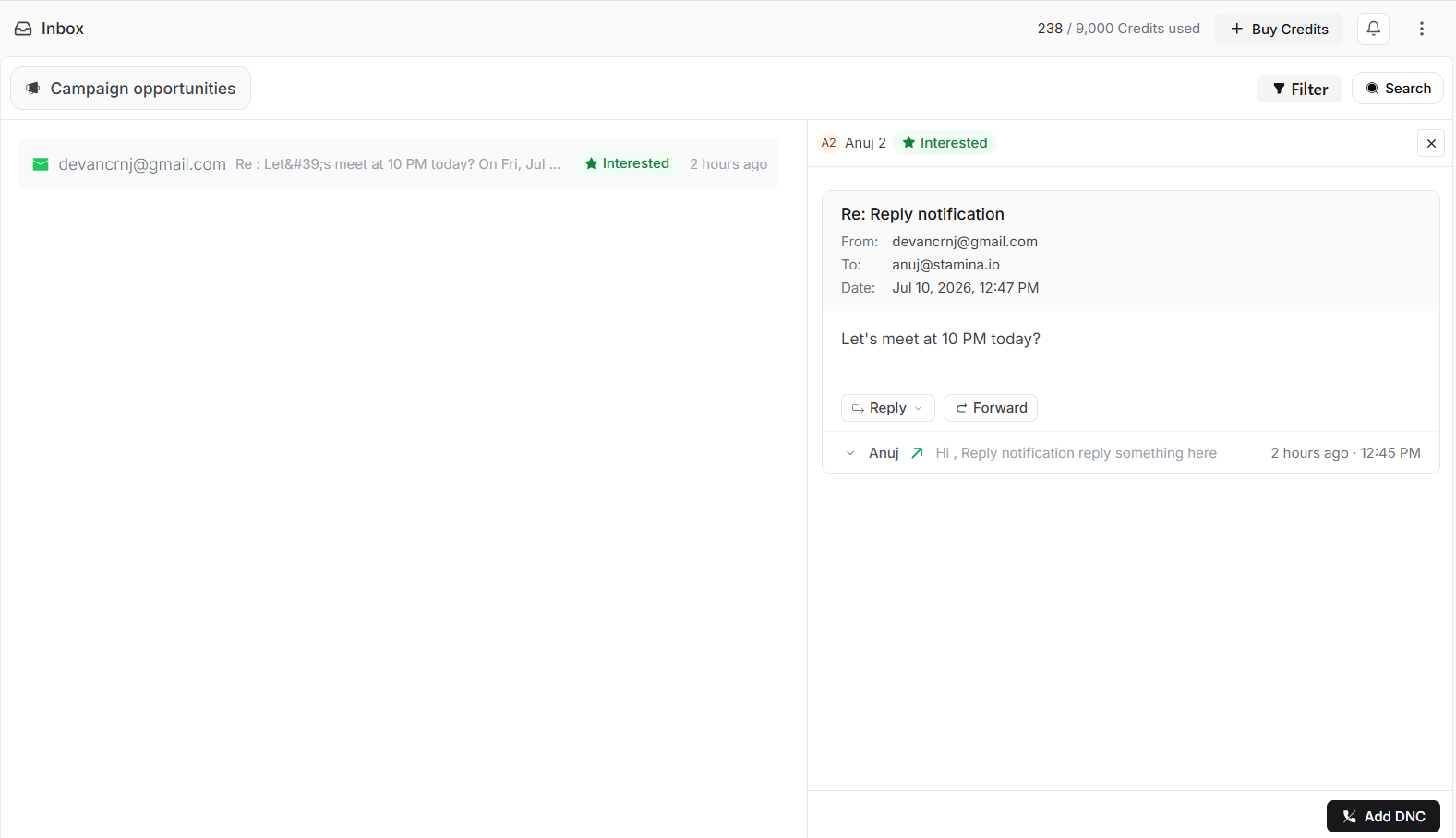
The Inbox is organized into three main areas:
Conversation list
The left panel displays all campaign replies in chronological order. Each conversation shows:
Sender email address
Email subject
AI reply classification
Date of the latest reply
Conversation details
Selecting a conversation opens the full email thread, where you can:
View sender information
Read the latest reply
Review previous messages in the thread
Reply or forward the conversation
Campaign Opportunities
Use Campaign Opportunities to quickly identify conversations that require attention. Stamina automatically highlights replies that may need a timely response, helping you prioritize your outreach.
Search and filter conversations
Use the controls in the upper-right corner of Inbox to quickly find conversations.
You can:
Search by sender or email content.
Filter conversations to focus on specific replies or campaigns.
What happens next?
Once replies begin arriving, your Inbox becomes the central place to manage conversations.
From here you can:
Read and reply to emails.
Review complete conversation history.
Forward conversations.
Add contacts to your Do Not Contact (DNC) list.
Use AI reply classifications to prioritize follow-ups.
Continue to Managing Conversations to learn how to work with replies inside the Inbox.