Removing specific leads from a campaign
Last updated: May 4, 2026
If you want to stop emails from sending to specific leads without ending the campaign for everyone else, you can select and delete those leads directly from the Lead List. Deleted leads are removed from the campaign immediately and will not receive any further emails.
How to remove specific leads
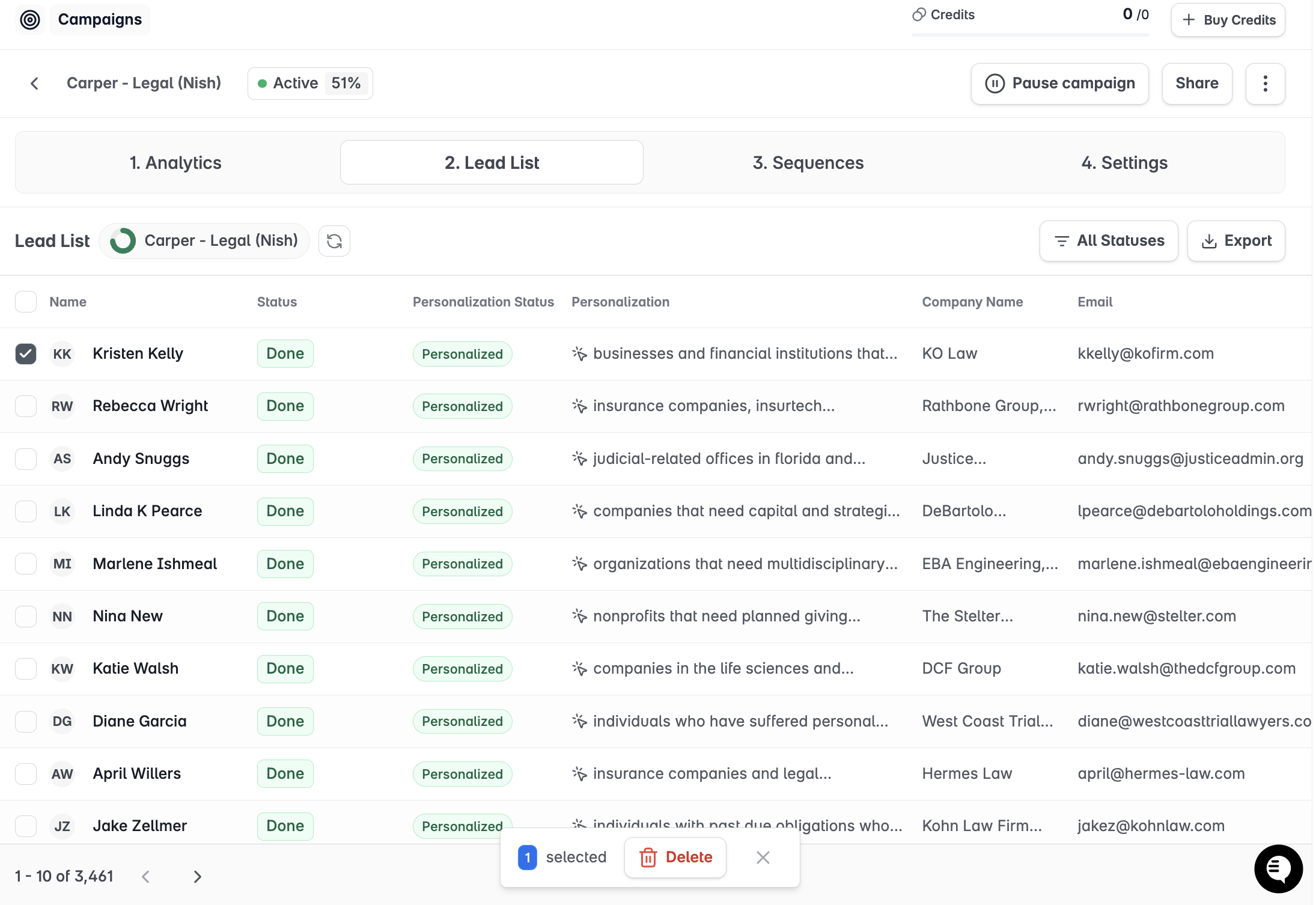
Open the campaign and go to Lead List.
Select the leads you want to remove using the checkboxes next to their names.
Click Delete in the bulk actions bar at the top of the list.
Confirm the action in the dialog that appears.
What happens after deletion
All pending sequence steps for the deleted leads are cancelled immediately
Deleted leads no longer appear in the campaign's Lead List
Their conversation history remains visible in Unibox if they had previously replied
They are not deleted from Stamina globally — they can be added to other campaigns
Deleting a lead from a campaign is permanent. If you think you may want to re-engage them later, note their details before removing — or add them to a separate campaign before deleting from this one.